
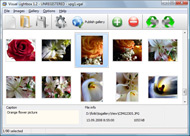



Overview

It's no secret that adding photos to your blog posts is one of the most effective ways to enhance your blog and attract attention to your writing. Flickr has millions of photos available in its database. A simple FREE tool called Flickr Gallery allows you to create a custom image gallery with a cool slide show of the most recent and most interesting photos from Flickr on your website or blog in a few easy steps. Just visit Flickr website and find photostream, photoset or a single photo you like. Enter the address of flickr page to add all photos from this page in your gallery, select the style of thumbnails and the overlay window and add the HTML embed code on your website or blog.
A few clicks and you'll see a stylish photo gallery with beautifull lightbox and zoom effects on your own website or blog!


Flickr Gallery for Windows   Flickr Gallery for MAC

Want more?

Example

Lightbox gallery sample

The following image set is generated by Flickr Gallery tool. Click any picture to run Lightbox gallery.

The sample above is an in-page usage demo of Lightbox gallery that uses images from Flickr. The slideshow created with Flickr Gallery wizard is placed inside the page layout. You can also check the full-page demo slideshow. This example takes whole browser area to show the Lightbox gallery that uses images from Flickr.Flickr World Slideshow

How to Use

Step 1. Adding flickr images to your own gallery.


Locate the photo, photoset or photostream you want to use in your Flickr slideshow. Click on it to see the photo on its own page.

Copy URL of the flickr page.

Select Add images from Flickr... from the 'Add' button on the Toolbar.

Add images from Flickr

In the appeared window paste URL of the flickr page. Specify also the number of photos you want to add from the flickr page. Flickr Gallery will now include these photos in your project.

Add images from Flickr

If you have included the photos that you do not wish to be in your web gallery, you can easily remove them. Select all images that you wish to remove from photo gallery, and select Delete images. from the Images menu. You can pick and choose pictures by holding the CTRL while clicking the pictures you like.

Step 2. Adding caption.

The name of the photo on flickr page will automatically appear in the caption. When you select a photo you'll see the various info about it, such as: Path, Size, date of last change and Caption. You can add any comment or text about the photo (up to 512 symbols).

Step 3. Gallery properties.

Change the name of your flickr album, the size and quality of your pictures with Flickr Gallery. From the Gallery menu, select Properties or use "Edit Gallery Properties" button on the toolbar.

On the first tab of the Gallery Properties window you can change the name of your photo album and enable/disable the following properties: Slide Show, Auto play Slide Show, Zoom effect, Overlay Shadow. You can also set the Overlay shadow color and select the Engine you want to use (jQuery or Prototype + script.aculo.us).

On the second tab of the Gallery Properties window you can select the thumbnail you want to use, set the Thumbnails Resolution, Thumbnails Quality, Thumbnails Titles. Select Thumbnails Format (save in PNG or JPG format). Specify the Number of columns in you photo album and the Page color.

On the third tab of the Gallery Properties window you can select the template, Image resolution and Image quality of your pictures and change the Watermark.

You can set up the various sizes for exported images.

Control the quality of output PNG or JPEG format image by defining output "Image quality" and "Thumbnail quality" parameters (0%…100%).

Step 4. Save your photo gallery as project file.

When you exit Flickr Gallery application, you'll be asked if you want to save your project. The project consists of the pictures you choose to put on your web photo gallery and all your settings. It's a good idea to save the project, because that will allow you to change the project in case you decide to do something different with future galleries. So click Yes, then enter a name for your project. To select the location of your project, just click the Browse folders button and choose a different location. Then click Save.

Flickr Jquery Lightbox Flickr Gadgets

Download Flickr Gallery


Download Flickr Gallery Download Free Edition
for Windows
Download Flickr Gallery Download Free Edition
for MAC

Flickr Gallery is free for non-commercial use.

A small fee is required for business use. Flickr Gallery Business Edition additionally provides an option to remove the Flickr Gallery. Com credit bar as well as a feature to put your own logo to images. After you complete the payment via the secure form, you will receive a license key instantly by e-mail that turns the Flickr Gallery Free Edition into a Business one. You can select the most appropriate payment mode: check, bank transfer, credit card, PayPal etc. Also you can get Business Edition for free if you help with translating Flickr Gallery into your native language, please contact us at for more info.

Link Flickr To Slideshowpro

Buy Flickr GalleryBuy Business Edition
for Windows

$49
Single Website
$69
Unlimited Websites
Buy Flickr GalleryBuy Business Edition
for MAC

$49
Single Website
$69
Unlimited Websites

Support

For feature requests, troubleshooting, general help contact Customer Support at . Make sure to include details on your browser, operating system, a link (or relevant code) and Flickr Gallery version.How To View Flickr Photo

Feedback

    * Another programmes have incredible functionality but no fantastic interface like your product!

    * I have purchased the business and LOVE IT..Your product appears easy to use and close to what I need to help several of my clients..

    * I have just bought this product and think it is great. As it is extremely easy to use it is something I could get my clients to purchase to upload their own portfolio and latest projects etc.Javascript Flickr Gallery Private Photos

    * Let me start just congratulating you, good job, really. I am trying out the free version before I buy it. It works great.

FAQ

Q:I would like to have a few galleries in one website and even on one page.

A:To create several galleries on your page you should change following parameter in A tag for different galleries:

rel="lightbox_vlb"

For example, for the first gallery you should set rel="lightbox_vlb":

<!-- Start Flickr Gallery.com BODY section -->
<div id="vlightbox">
<a rel="lightbox_vlb" href="data/images/dscn6831.jpg" title="dscn6831" >
<img src="data/thumbnails/dscn6831.png" ><span></span></a>
<a rel="lightbox_vlb" href="data/images/dscn6823.jpg" title="dscn6823">
<img src="data/thumbnails/dscn6823.png"><span></span></a>
<a id="vlb" href="http://Flickr Gallery.com">Photo Gallery For Web by Flickr Gallery.com v2.0</a>
</div>
<!-- End Flickr Gallery.com BODY section -->

and for the second gallery rel="lightbox_vlb1":

<!-- Start Flickr Gallery.com BODY section -->
<div id="vlightbox">
<a rel="lightbox_vlb1" href="data/images/img_0501.jpg" title="img_0501">
<img src="data/thumbnails/img_0501.png"><span></span></a>
<a rel="lightbox_vlb1" href="data/images/img_0481.jpg" title="img_0481">
<img src="data/thumbnails/img_0481.png"><span></span></a>
<a id="vlb" href="http://Flickr Gallery.com">Photo Gallery For Web by Flickr Gallery.com v2.0</a>
</div>
<!-- End Flickr Gallery.com BODY section -->


RELATED

Flickr Gadgets !!! | Web2pixel Some cool gadget images: Flickr Gadgets !!! Image by Janex & Alba Direttamente da San Francisco i gadget !!! 2007 - Day 257 - Gadget man, Hopefully this one

Just Something I Made: Flickr Gadget For Your Blog The e-mail gadget images and tutorial were such a hit that I made more gadgets to link to your Flickr photos from your Blogspot blog, some are generic if you use a different photo hosting site and if you grabbed an email button from here previously, I designed buttons to coordinate with those

Google Gadgets Google gadgets are simple widget-like applications that will run on Google Desktop, other Google products and most websites. They can be created using the Google Gadget API, which is available on the Google Code website or for download as part

Dare Obasanjo aka Carnage4Life - LazyWeb Request: Fix the I know it's possible for gadgets to persist their state because the ToDo List gadget does exactly that. What I need is for some kindly Javascript junky to fix the Flickr viewer so all us Flickr fans on Live.com can enjoy its juicy goodness. Categories: Windows Live. Related posts:

Fittr Flickr - Gadgets Fittr Flickr - dpup posted a photo: I really liked Dustin's Greasemonkey script for Flickr, but I've been using Chrome exclusively for a while now, and since it now has extensions--thanks to Aaron

Flickr: "gadgets" Flickr is almost certainly the best online photo management and sharing application in the world. Show off your favorite photos and videos to the world, securely and privately show content to your friends and family, or blog the photos and videos

Wave Gadgets - The Complete Guide to Google Wave: How to Use Picasa/Flickr Gadget. Want to share your latest set of pictures from Drop the Picasa/Flickr gadget in a wave, then point it toward an album on photo sharing

Social Networking Gadgets For Gmail One of our readers recently asked us to put up a list of cool gadgets one could add to Gmail using the Add gadget by URL feature in Gmail Labs, and like always The Flickr Gadget will show you the most recent activity and the photos uploaded by you in the Gmail sidebar, click on a image to

Gadgets For Vista - Flickr Gadget Gadgets for Vista is a library of gadgets for Windows Vista. Vista gadgets are small tools which install in the Windows sidebar on the desktop. There are several types of gadget, weather, news, search engines, videos, games, radio etc

Ginga Gadgets; A premium purveyor of fine gadgets specially A premium purveyor of fine gadgets specially designed for the discriminating gentleperson

gadgets Micah Walter is an artist, photographer, photojournalist, writer and digital imaging software consultant

Hello World 2.0: Google Desktop Gadget: Flickr Photo Frame The Flickr Photo Frame is a simple digital photo frame gadget that randomly displays a Flickr user's photographs. The main reason for writing this gadget in the first place, is that i wanted to randomly display my Flickr photos on my desktop

Flickr

Chinson's: Google Gadget:Flickr Photos for iGoogle Google Gadget:Flickr Photos for iGoogle. Note. If you cannot use your account in this gadget(totally blank page), check that if you hidden your profile in your account settings. For people who want to hidden the profile, please use NSID in the gadget instead

Flickroom – The Way Flickr Should Be | geeks.co.uk Posted in: Gadgets >> Gadgets. Flickroom – The Way Flickr Should Be sharing service Flickr does what it should do well – everything's in place for a good experience using the website

Developing Gadgets for the Windows Sidebar The gadget pulls images from Flickr.com to display on the desktop. Windows Vista introduced the Sidebar – an anchored panel on the Windows desktop that can host mini-applications known as gadgets. These gadgets are fun to develop and can deliver real value to a user's desktop

Flickr | Gadget Lab | Wired.com Despite its minimal camera features, the iPhone has just surpassed Canon's Digital Rebel XTi as the most popular camera used by members of image-sharing website Flickr. L.A. Times Mark Milian has been watching Flickr stats like a hawk, but he

iGoogle Flickr and News Gadgets myigadgets is your premier iGoogle Web 2.0 gadget page to personalize your Google portal with Flickr slideshows and RSS News Feeds

flickr gadget for google wave | disjoint thoughts flickr gadget for google wave. So I got an invite to Google Wave last week. It was pretty fun to play around with the latest and greatest toy from google, but the novelty quickly wore off. After everyone realized they were using it like a chatroom + wiki, I think we all got bored

Flickr | Find the Latest News on Flickr, Gadgets & Technology The latest news on Flickr is on GeekSugar. On GeekSugar you will find everything you need on technology, gadgets and Flickr

Instant Gadgets - Instant Flickr Currently Instant Flickr is only available for the Google Homepage and Desktop/Sidebar, but support for Windows Live, Windows Vista and many others is coming soon. When the search completes, click the Add button next to the icon for the Instant Flickr gadget

Photos from Flickr - Add to your homepage This flickr gadget lets you configure number of photos http://www. Finally, a flickr Gadget That Works - oogg66 - Dec 29, 2007 - Report this comment. This was the first flickr gadget I could get to work. I agree that it would be nice to be able to configure the number of photos. Thanks! 6 or 20

Gadgets Posted in 20, 28, 365, 365project, 4, 8, 89, AR, Content, IM, OS, RC, Uncategorized, W, a, ad, ads, arm, ati, c, con, dg, ds, f, flickr, gadget, gadgets, gt, ic, it, m, nz, o, people, photo, photos, pos, pr, pro, project, q, r, tat, ti, to, toy, tp, up, www | No Comments "

Flickr: gadgets Favorite gadget, Handmade colorful iPod iPhone iTouch gadget case cozy, CubeDude Inspector Gadget, Gadget Show Ident, Five, I'm a Gadget Freak aka Geek! - I, Wizard of Wizardly Gizmos and Gadgets Invented to Study the Nighttime Sky, and 145 more

Windows Live Gallery Get custom content for Windows Live and Windows Vista, including Sidebar, search, Messenger, and more. Install the gadget and then copy and paste the URL of a Flickr RSS Feed or a set of keywords seperated by commas

Flickr Slideshow gadget - Lester's WPF\SL blog - Site Home blogs.msdn.com/llobo is a resource which provides insight and tutorials/samples on WPF/SL for a beginner/expert [flash] developer

10 Essential Google Gadgets | ZDNet The big news today was Google making available gadgets (aka widgets) for website owners to add to their webpages. I took a look through the 1220 gadge

Flickr | Tag | Widgets Lab Posts Tagged flickr' Fotopedia Slideshow widget. September 28th, 2009. Fotopedia.com is a photo hosting service with a downloadable app (Windows & Mac) that allows you to create a customizable slideshow widget that you can embed flickr search widget,flickr gadget,flickr search gadget,silverlight

