
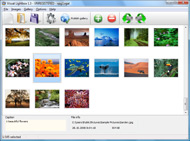



Overview

It's no secret that adding photos to your blog posts is one of the most effective ways to enhance your blog and attract attention to your writing. Flickr has millions of photos available in its database. A simple FREE tool called Flickr Gallery allows you to create a custom image gallery with a cool slide show of the most recent and most interesting photos from Flickr on your website or blog in a few easy steps. Just visit Flickr website and find photostream, photoset or a single photo you like. Enter the address of flickr page to add all photos from this page in your gallery, select the style of thumbnails and the overlay window and add the HTML embed code on your website or blog.
A few clicks and you'll see a stylish photo gallery with beautifull lightbox and zoom effects on your own website or blog!


Flickr Gallery for Windows   Flickr Gallery for MAC

Want more?

Example

Lightbox gallery sample

The following image set is generated by Flickr Gallery tool. Click any picture to run Lightbox gallery.

The photo gallery above is an in-page usage demo of Lightbox with images from Flickr. The lightbox gallery created with Flickr Gallery tool is placed inside the website page. You can also check the full-page demo website gallery. This example takes whole browser area to show the Lightbox gallery that uses images from Flickr.Non Flash Flickr Gallery

How to Use

Step 1. Adding flickr images to your own gallery.


Locate the photo, photoset or photostream you want to use in your Flickr slideshow. Click on it to see the photo on its own page.

Copy URL of the flickr page.

Select Add images from Flickr... from the 'Add' button on the Toolbar.

Add images from Flickr

In the appeared window paste URL of the flickr page. Specify also the number of photos you want to add from the flickr page. Flickr Gallery will now include these photos in your project.

Add images from Flickr

If you have included the photos that you do not wish to be in your web gallery, you can easily remove them. Select all images that you wish to remove from photo gallery, and select Delete images. from the Images menu. You can pick and choose pictures by holding the CTRL while clicking the pictures you like.

Step 2. Adding caption.

The name of the photo on flickr page will automatically appear in the caption. When you select a photo you'll see the various info about it, such as: Path, Size, date of last change and Caption. You can add any comment or text about the photo (up to 512 symbols).

Step 3. Gallery properties.

Change the name of your flickr album, the size and quality of your pictures with Flickr Gallery. From the Gallery menu, select Properties or use "Edit Gallery Properties" button on the toolbar.

On the first tab of the Gallery Properties window you can change the name of your photo album and enable/disable the following properties: Slide Show, Auto play Slide Show, Zoom effect, Overlay Shadow. You can also set the Overlay shadow color and select the Engine you want to use (jQuery or Prototype + script.aculo.us).

On the second tab of the Gallery Properties window you can select the thumbnail you want to use, set the Thumbnails Resolution, Thumbnails Quality, Thumbnails Titles. Select Thumbnails Format (save in PNG or JPG format). Specify the Number of columns in you photo album and the Page color.

On the third tab of the Gallery Properties window you can select the template, Image resolution and Image quality of your pictures and change the Watermark.

You can set up the various sizes for exported images.

Control the quality of output PNG or JPEG format image by defining output "Image quality" and "Thumbnail quality" parameters (0%…100%).

Step 4. Save your photo gallery as project file.

When you exit Flickr Gallery application, you'll be asked if you want to save your project. The project consists of the pictures you choose to put on your web photo gallery and all your settings. It's a good idea to save the project, because that will allow you to change the project in case you decide to do something different with future galleries. So click Yes, then enter a name for your project. To select the location of your project, just click the Browse folders button and choose a different location. Then click Save.

Getting More Views On Flickr Put Flickr On Your Website

Download Flickr Gallery


Download Flickr Gallery Download Free Edition
for Windows
Download Flickr Gallery Download Free Edition
for MAC

Flickr Gallery is free for non-commercial use.

A small fee is required for business use. Flickr Gallery Business Edition additionally provides an option to remove the Flickr Gallery. Com credit bar as well as a feature to put your own logo to images. After you conclude the payment via the secure order form, you will receive a license key instantly by e-mail that turns the Flickr Gallery Free Edition into a Business one. You can select the most appropriate payment method: bank transfer, check, credit card, PayPal etc. Also you can get Business Edition for free if you help with translating Flickr Gallery into your native language, please contact us at for more info.

Flickr Photo Blog

Buy Flickr GalleryBuy Business Edition
for Windows

$49
Single Website
$69
Unlimited Websites
Buy Flickr GalleryBuy Business Edition
for MAC

$49
Single Website
$69
Unlimited Websites

Support

For general help, troubleshooting and feature requests contact Customer Support at . Make sure to include details on your Flickr Gallery version, a link (or relevant code), browser and operating system.Embed Strip Of Flickr Images

Feedback

    * I LOVE your free Lightbox2 software tool and will purchase the business version shortly. I have seen the Lightbox JS effect used with video tutorials and I was hoping you have a version for video that I can purchase.
Video LightBox: http://videolightbox.com

    * This looks like EXACTLY what I need for my site. It would make my job much faster! Love your program. Thank you!!

    * I downloaded your trial version to see if I could get it to work with my website, and I am almost there (I have been looking for something like this for ages)..Recent Picture Flickr Html Code

    * I am thrilled with what this tool can do for me thanks for all the hard work that must have gone into it.

FAQ

Q:I would like to reposition the Previous and Next buttons to a position below the images and have them be visible all the time.Where do I have to go to make these changes in the code?

A:Find the css file in the folder generated by gallery:
engine\css\
or in the following folder:
c:\Program Files\Visual LightBox Business\templates\Default\engine\css\

To set their position you should change 15% to something different:
#prevLink:hover, #prevLink:visited:hover { background: url(../images/prevlabel.gif) left 15% no-repeat; }
#nextLink:hover, #nextLink:visited:hover { background: url(../images/nextlabel.gif) right 15% no-repeat; }

For example:
#prevLink:hover, #prevLink:visited:hover { background:url(../images/prevlabel.gif) left 75% no-repeat; }
#nextLink:hover, #nextLink:visited:hover { background: url(../images/nextlabel.gif) right 75% no-repeat;}

RELATED

Jeffrey Friedl's Blog " Jeffrey's "Export to Flickr The plugin has long remembered your export settings from Flickr export session to FLickr export session, overriding Lightroom's desire to always "Authenticate at Flickr", you authenticate at Twitter and grant the plugin application permission to send tweets on your behalf

ASP.NET.4GuysFromRolla.com: Accessing Images On Flickr From This article, by Scott Mitchell, shows how to integrate with Flickr from an ASP.NET website using the Flickr.Net library. I recently started work on a website that offers its users a customized homepage where they can upload pictures, enter biographical and contact information, and

CIC " Yet another way to simply put your latest Flickr Yet another way to simply put your latest Flickr pictures on your website Integrating Flickr pictures on your Wordpress or RapidWeaver site. Adding social links on your website: your

Making Your Web Site Mashable For detailed notes on how to create, run, and maintain an API from the perspective of a seasoned. API creator, please consult Chapter 11 of Building Scalable Web Sites (O'Reilly Media, 2006), written by. Cal Henderson of Flickr. Why Make Your Web Site Mashable?

Flickr: Increase your visibility online! | MyCharityConnects Using Flickr to host your photos saves you space on your website! You can also connect with your supporters with a Flickr group. Use the tools Flickr provides to put images and slideshows on your website or blog

HOW TO Quickie: Embedded Flickr Slideshows — PaulStamatiou.com All that's needed is a bit of code to embed them within your website to give your readers something dynamic. Place this somewhere on your website or within a blog post. Change user_id from 12345678@N00 to your flickr id, which you can

Learning How to Embed Flickr Slideshows onto Your Website or Blog Learn the easy Flickr slideshow codes for how to embed flicker slideshows and customizing the slideshow on your site or blog. You can display your favorite family vacation photos on a social network blog, or display an ongoing slide of your business's products on a professional website

Flickr is NOT useless for SEO | Big Oak SEO Blog Many were enraged last week when Flickr added nofollow tags to comments and picture captions. Why people would be enraged is beyond me because even my dead pet

60+ Tools To Enhance Your Flickr Experience Being a popular online image platform, Flickr has enabled Internet users to manage and share digital photos easily as long as there's an Internet connection. flickrSLiDR allows you to easily embed the classic flickr slideshows on your website or blog

How to Sell Art Online Using Flickr — The Abundant Artist image courtesy Boy Obsolete Flickr.com is a huge online repository of images. It's a massive site that gets hundreds of thousands to his Flickr page until "someone saw what i did and placed it on Reddit, Digg, and Metafilter," which caused his images to be seen by a lot of people. Put links in your

80+ Useful Tools for Flickr Desktop Applications 1001 for Mac OS X is a desktop client to be used in conjunction with Flickr. It not only uploads photos to your Flickr account, it Chasr is a mini web application that allows you to display your photos from Flickr on your own website for absolutely free

How to Promote Your Business on Flickr : Marketing Flickr offers one of the largest image archives and communities online and one that is often not targeted because most small businesses aren't yet goo

Make a Flickr pic Link to Your Website Video – 5min.com Make a Flickr pic Link to Your Website - Learn how to Make Flickr pic or jpg link to your website on your Craigslist or Backpage ad. This video shows you a neat little trick on how to make a Flickr pic on Craigslist redirect to your website of

Max Dunn's Web Site - RoR and Flickr But after studying the source code and playing with it, you can generally get it to do what you want, so that is what we will use here. Rails Flickr Files. Now let's put Flickr in our web site. Main Files. First get the flickr rails files add them to your Rails home directory:

Building Blog Traffic: Using Flickr | YourWealth.org: Tips Flickr is an online photo sharing website that also has a strong social element to browsing photos. Like most social websites, Flickr has strong social tools Before you start blogging, I suggest you put up a bunch of photos on Flickr that is of your blog subject

Top 30+ Flickr Tools to Enhance your Flickr Journey flickrSLiDR allows you to easily embed the classic flickr slideshows on your website or blog. Chasr is a mini web application that allows you to display your photos from Flickr on your own website for absolutely free

Photo Sharing Website Part II: Tips for Creating & Optimizing About Flickr. Flickr is social-networking website that is built to allow people to post and share their own photos. Flickr is a convenient place to share photos of your hotel or lodging property, and lets you create slideshows to put on your website

Flickr Api Get Single Photo : Flickr Gallery Make superior ajax picture gallery for your web site with Flickr Gallery!. Embed Flickr Photo To Another Web Enter the address of flickr page to add all photos from this page in your gallery, select the style of thumbnails and the overlay window and add the HTML embed code on your website or blog

How To Upload to a Website Via FTP | How To Do Things.com Using FTP (File Transfer Protocol) to upload to a website,you always need to upload (add) something to your website such as images, music, topics, etc. To do so, you need FTP software

Should I Put My Photos On My Website or On Flickr? This post is part of the Friday Q&A section. If you want to ask a question, just write a comment below. Mary H. asks: I blog about animal training, and end up with quite a few good photos I'd like to share with my readers. I put a few photos in

How to Add Flickr photos on my web site | eHow.com How to Add Flickr photos on my web site. If you have some pictures of your own, or photos from a group you admire from Flickr, you can make a badge to put in your website or blog, and this will add to your blog or website greatly. It is

eeFlickr 0.6.7 beta - ExpressionEngine Flickr Gallery - php showing it is best to limit usage of the API to your photos. I am very tempted to stop coding Flickr API stuff because of threads on flickr like this one and the one above. I put allot of work into this for Free and and constantly get e-mails

Flickr: Help: On the Flickr website Flickr is almost certainly the best online photo management and sharing application in the world. Show off your favorite photos and videos to the world, securely and privately show content to your friends and family, or blog the photos and videos

How to Put Your Flickr Photos into Yahoo News How to Put Your Flickr Photos into Yahoo News. By Matt McGee on May 8, 2008 in Local Search, Social Media, Yahoo. It's not happening quickly, but Yahoo continues to integrate Flickr photo content across its network. The newest instance I've seen is on Yahoo's Local News beta site

Library 2.0: An Academic's Perspective: Go Where Users Are But you also want your Web site visitors to know that these photos exist. to know about your photos, use the Flickr badge as the link from your local site to your collection on Flickr

Integrating Flickr Into Your Wordpress Theme Ever wanted to learn how to integrate your flickr feed into your Wordpress blog? Read on to find out how!

Integrating Flickr into your rails website - Pixellated Visions How to use flickr_fu to show your flickr images on your rails website or blog

Bring Flickr to Your Website Using JSON and jQuery | The Flickr is a great website for hosting and sharing your photos. If you are an amateur photographer who likes to share photos from your latest outdoor adventure,

