
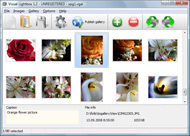


Overview

It's no secret that adding photos to your blog posts is one of the most effective ways to enhance your blog and attract attention to your writing. Flickr has millions of photos available in its database. A simple FREE tool called Flickr Gallery allows you to create a custom image gallery with a cool slide show of the most recent and most interesting photos from Flickr on your website or blog in a few easy steps. Just visit Flickr website and find photostream, photoset or a single photo you like. Enter the address of flickr page to add all photos from this page in your gallery, select the style of thumbnails and the overlay window and add the HTML embed code on your website or blog.
A few clicks and you'll see a stylish photo gallery with beautifull lightbox and zoom effects on your own website or blog!


Flickr Gallery for Windows   Flickr Gallery for MAC

Want more?

Example

Lightbox gallery sample

The following image set is generated by Flickr Gallery tool. Click any picture to run Lightbox gallery.

The photo gallery above is an in-page usage demo of Lightbox with images from Flickr. The web gallery created with Flickr Gallery wizard is placed inside the html page. You can also check the full-page demo web gallery. This example takes whole browser area to show the website gallery.Flickr Gallery For Jomsocial

How to Use

Step 1. Adding flickr images to your own gallery.


Locate the photo, photoset or photostream you want to use in your Flickr slideshow. Click on it to see the photo on its own page.

Copy URL of the flickr page.

Select Add images from Flickr... from the 'Add' button on the Toolbar.

Add images from Flickr

In the appeared window paste URL of the flickr page. Specify also the number of photos you want to add from the flickr page. Flickr Gallery will now include these photos in your project.

Add images from Flickr

If you have included the photos that you do not wish to be in your web gallery, you can easily remove them. Select all images that you wish to remove from photo gallery, and select Delete images. from the Images menu. You can pick and choose pictures by holding the CTRL while clicking the pictures you like.

Step 2. Adding caption.

The name of the photo on flickr page will automatically appear in the caption. When you select a photo you'll see the various info about it, such as: Path, Size, date of last change and Caption. You can add any comment or text about the photo (up to 512 symbols).

Step 3. Gallery properties.

Change the name of your flickr album, the size and quality of your pictures with Flickr Gallery. From the Gallery menu, select Properties or use "Edit Gallery Properties" button on the toolbar.

On the first tab of the Gallery Properties window you can change the name of your photo album and enable/disable the following properties: Slide Show, Auto play Slide Show, Zoom effect, Overlay Shadow. You can also set the Overlay shadow color and select the Engine you want to use (jQuery or Prototype + script.aculo.us).

On the second tab of the Gallery Properties window you can select the thumbnail you want to use, set the Thumbnails Resolution, Thumbnails Quality, Thumbnails Titles. Select Thumbnails Format (save in PNG or JPG format). Specify the Number of columns in you photo album and the Page color.

On the third tab of the Gallery Properties window you can select the template, Image resolution and Image quality of your pictures and change the Watermark.

You can set up the various sizes for exported images.

Control the quality of output PNG or JPEG format image by defining output "Image quality" and "Thumbnail quality" parameters (0%100%).

Step 4. Save your photo gallery as project file.

When you exit Flickr Gallery application, you'll be asked if you want to save your project. The project consists of the pictures you choose to put on your web photo gallery and all your settings. It's a good idea to save the project, because that will allow you to change the project in case you decide to do something different with future galleries. So click Yes, then enter a name for your project. To select the location of your project, just click the Browse folders button and choose a different location. Then click Save.

Flex Flickr Gallery Code Embed Flickr Map Wordpress

Download Flickr Gallery


Download Flickr Gallery Download Free Edition
for Windows
Download Flickr Gallery Download Free Edition
for MAC

Flickr Gallery is free for non-commercial use.

A small fee is required for business use. Flickr Gallery Business Edition additionally provides an option to remove the Flickr Gallery. Com credit bar as well as a feature to put your own logo to images. After you conclude the payment via the secure form, you will receive a license key instantly by e-mail that turns the Flickr Gallery Free Edition into a Business one. You can select the most appropriate payment procedure: credit card, PayPal, bank transfer, check etc. Also you can get Business Edition for free if you help with translating Flickr Gallery into your native language, please contact us at for more info.

Insert Flickr Slideshow Tumblr

Buy Flickr GalleryBuy Business Edition
for Windows

$49
Single Website
$69
Unlimited Websites
Buy Flickr GalleryBuy Business Edition
for MAC

$49
Single Website
$69
Unlimited Websites

Support

For general help, troubleshooting and feature requests contact Customer Support at . Make sure to include details on your operating system, browser, Flickr Gallery version and a link (or relevant code).Flickr Html Stream

Feedback

    * I'd like to express my gratitude to your efforts on creating such a nice piece of program and best of all it's free! Keep out the good work and I hope to see new features in the near coming future to rate you 5 star!

    * I LOVE your free Lightbox2 software tool and will purchase the business version shortly. I have seen the Lightbox JS effect used with video tutorials and I was hoping you have a version for video that I can purchase.
Video LightBox: http://videolightbox.com

    * Let me start just congratulating you, good job, really. I am trying out the free version before I buy it. It works great.Mini Flickr Gallery Embed

    * I just tried the application, It is wonderful idea. Like you said in the website "few clicks without writing a single line of code" because most of the people is not web designers".

FAQ

Q:How do I embed the lightbox image gallery into an existing page?

A:To install Flickr Gallery gallery on your page you should:

1. Create your gallery in Flickr Gallery and publish it on a local drive in any test folder.
2. Open index.html file from the saved folder in any text editor.
3. Copy code for the HEAD section and paste it inside the HEAD section of you own webpage, for example:

<head>
...
<!-- Start Flickr Gallery.com HEAD section -->
<link rel="stylesheet" href="engine/css/vlightbox.css" type="text/css" />
<style>#vlightbox a#vlb{display:none}</style>
<link rel="stylesheet" href="engine/css/Flickr Gallery.css" type="text/css" media="screen" />
<script src="engine/js/jquery.js" type="text/javascript"></script>
<script src="engine/js/jquery.tools.min.js" type="text/javascript"></script>
<script src="engine/js/visuallightbox.js" type="text/javascript"></script>
<!-- End Flickr Gallery.com HEAD section -->

...
</head>


4. Copy code for the BODY section and paste it inside the Body section of you own webpage in the place where you want to have a gallery, for example:

<body>
...
<!-- Start Flickr Gallery.com BODY section -->
<div id="vlightbox">
<a rel="lightbox_vlb" href="data/images/dscn6831.jpg" title="DSCN6831"><img src="data/thumbnails/dscn6831.png"><span></span></a>
<a rel="lightbox_vlb" href="data/images/dscn6823.jpg" title="DSCN6823"><img src="data/thumbnails/dscn6823.png"><span></span></a>
<a rel="lightbox_vlb" href="data/images/dscn6819.jpg" title="DSCN6819"><img src="data/thumbnails/dscn6819.png"><span></span></a>
<a id="vlb" href="http://Flickr Gallery.com">Photo Gallery For Web by Flickr Gallery.com v2.1</a>
</div>
<!-- End Flickr Gallery.com BODY section -->

...
</body>


5. Copy 'data' folder with images and thumbnails and 'engine' folder with .css and .js files into the same folder with your own webpage.
You can find the example on our website:
http://www.Flickr Gallery.com/#example


RELATED

How to Embed A Flickr Photo into Wordpress Post on Vimeo This is a quick video that shows you how to embed a photo from your Flickr account into your Wordpress blog post

Using Flickr to Geospatially Embed Archaeological 5) Add the photo to Flickr's map. This gives you a (very) rough lat/long that will allow 6) Embed your photo into your blog/website with Mbedr. Unfortunately I've been having problems with this on wordpress–for an example, check out this

WordPress.com: How To Embed Video | Williamo's Blog With the exception of YouTube, I always keep forgetting how to embed video into a WordPress.com blog post (hint: it's not the embed code) a YouTube Video. This entry was posted in Fascinations and tagged audio, blog post, caption, dailymotion, digg, embed video, embedding, flash, flickr,

Help on how to embed google maps with geotagged flickr photosets iMapFlickr lets you create google map and flickr mashups using using geotagged photos which you can embed in your own website, blog or share on facebook and twitter. No complicated coding required!

lib20 / flickr-slide-shows flickr-slide-shows. Page history last edited by pollyalida 1 yr ago. Samples of flickr slide shows and flickr badges to embed on Embed a photo from flickr and retain any annotations in the original flickr photo

Another way to embed Flickr Slideshows in your blog Looking for a good way to show a whole bunch of photos on your blog or website without creating a single page a million miles long with picture after picture?

Add interactivity to your pages: How to put a Google Map Every site owner wants to increase their sites "engagement" with visitors in order to increase online donations. subscriptions or whatever. With the rise of so-called Web 2.0, the average user has the ability to embed interactivity onto there

How To Embed Anything Into Your WordPress.com Blog " Ramblings How To Embed Anything Into Your WordPress.com Blog. January 18, 2008 some other flickr slideshow) codes into making them work in WordPress through Vodpod? -Same thing for being able to use Google maps? -Could you list

How To: Embed Map with Geotagged Photos for Your Blog So you have a bunch of photos geotagged with GPS-capable cameraphones like the Nokia N95 or the Nokia N82 and want to show it off on your blog. Here's the

Flickr Api Get Single Photo : Flickr Gallery Flickr Api Get Single Photo. Make superior ajax picture gallery for your web site with Flickr Gallery!. Embed Flickr Photo To Another Web

How to Embed Almost Anything in your Website Learn how to embed videos, mp3 music, Flash videos (both swf and flv), pictures, fonts, spreadsheets, charts, maps and everything else into your blog or website. To embed an individual Flickr photograph in your blog, click the "Share This" link (available next to the photo title) and choose embed it

CIC " Flickr I have already looked at how to integrate Flickr with your RapidWeaver or Wordpress site, how to integrate a Flickr photo map on your site and how to quickly create a Flickr badge for your site. the various Flickr image integration plugins available for both Wordpress and RapidWeaver

Combining Map Flickr and Flickr allows for easy Online Mapping Although I'm a big fan of Flickr, for a long time one of its major drawbacks was that I couldn't embed Flickr maps. That's it, from that point, all you have to do is link to the map– or better yet– embed it into your website like I did

[WordPress plugin] Flickr foto info at SANIsoft – PHP for E Biz [WordPress plugin] Flickr foto info. If you embed Flickr photos on your site you can always link them to the original page where visitors to your site can get all the details but that is not really a good user experience as it sends the visitor away from your blog

Android Camera + Flickr + Wordpress Blog = Easy Photo Maps What You'll Need: Handheld device operating on the Android platform Flickr Account A site or blog using Wordpress XML Google Maps Plugin For Have you ever wanted to snap a photo, have it automatically geotagged and added to an embedded map on your site with one click?

Flash articles | Flash in Wordpress plugin | Lemlinh.com Wordpress is famous CMS with million user. Plugin made wordpress more attractive.And Flash made your website more sexy. This articles shows some plugin This is a plugin for WordPress that allows you to embed a flickr integrated simpleviewer into your WordPress site

10 Amazing Wordpress Plugins for Flickr :Speckyboy Design Description: This Flickr plugin for WordPress will allow you to pull in your Flickr photosets and display them as albums on your WordPress site. Description: This is a plugin for WordPress that allows you to embed a flickr integrated simpleviewer into your WordPress site

kuanhoong dot com " 8 alternate ways to embed flickr photos kuan hoong kuanhoong adsense ebay Technology SEO Internet Marketing WordPress Web Gadget Tool search engine optimization Malaysia Nagoya Japan Below are 8 alternate ways to embed flickr photos onto your webpages

Wordpress Blog Services - 60+ Tools To Enhance Your Flickr 60+ Tools To Enhance Your Flickr Experience. Posted by frank in Friday, October 17th 2008 under: premium templates Tags: borned, choose, feeling, maps, mash, under, would Flickr Slideshow Generator allows you to generate the HTML necessary to embed a custom Flickr Slideshow in your page or blog

HOW TO Quickie: Embedded Flickr Slideshows — PaulStamatiou.com All that's needed is a bit of code to embed them within your website to give your readers something dynamic. Here's a guide on how to embed the flickr map in a similar manner:

How to embed a Flickr slideshow in your blog How to embed a Flickr slideshow in your blog. by Jordan Running (RSS feed) Oct 23rd 2006 at 1:02PM. There's a lot of ways to get You guys must be using something other that Wordpress then. Wordpress flat out refuses to embed a Flckr slideshow using any method I've seen to date, including the

Wordpress Flickr – embed Flickr photos in Wordpress blog WordPress Flickr – embed Flickr photos in WordPress blog. Maybe I'm just slow, but it took me a long time to figure out how to do some neat stuff with my Flickr pix and my WordPress hosted To embed your own Flickr photos in your WordPress blog you'll need to

Flickr: Help: Blogging Flickr is almost certainly the best online photo management and sharing application in the world. Show off your favorite photos and videos to the world, securely and privately show content to your friends and family, or blog the photos and videos

How to embed a flickr slideshow in WordPress.com using Vodpod How to embed a flickr slideshow in a draft post on the free WordPress.com platform using Vodpod. Adapted from an original guide by Geeky Coder

Get any kind of media into your Wordpress.com Blog — Internet There are easy and free ways to add all kinds of media to your WordPress.com blog. This post explains how to add photos, video, audio, text and mixed media documents to your blog. Photos: WordPress.com makes it easy to upload

WordPress Tip: You Don't Need an Embed Code Anymore | ShanKrila We run a slew of WordPress based sites and I was just dumbstruck when I came across this little known feature. Atleast to me. I To embed videos or slideshows from various sites like YouTube, Vimeo, Flickr, etc, I am used to grabbing the whole HTML embed code and inserting that in HTML view in the

How to embed Google Maps in Flex " n o t e 1 9 . c o m The map is shown when you click on the tab "Google Map" and is hidden when you click on the other tabs. flex 能和 google map 融為一體能做出什麼東西來: http://note19.com/2007/11/22/how-to-embed-google-map-in-flex/ http://chidester.wordpress.com/2007/05/02/flex-google-maps-flickr-youtube-gps/ [ ] Sidd Says:

