
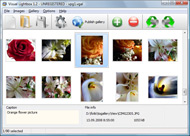



Overview

It's no secret that adding photos to your blog posts is one of the most effective ways to enhance your blog and attract attention to your writing. Flickr has millions of photos available in its database. A simple FREE tool called Flickr Gallery allows you to create a custom image gallery with a cool slide show of the most recent and most interesting photos from Flickr on your website or blog in a few easy steps. Just visit Flickr website and find photostream, photoset or a single photo you like. Enter the address of flickr page to add all photos from this page in your gallery, select the style of thumbnails and the overlay window and add the HTML embed code on your website or blog.
A few clicks and you'll see a stylish photo gallery with beautifull lightbox and zoom effects on your own website or blog!


Flickr Gallery for Windows   Flickr Gallery for MAC

Want more?

Example

Lightbox gallery sample

The following image set is generated by Flickr Gallery tool. Click any picture to run Lightbox gallery.

The sample above is an in-page usage demo of Lightbox gallery that uses images from Flickr. The slideshow created with Flickr Gallery software is placed inside the page layout. You can also check the full-page demo website gallery. This example takes whole browser area to show the web gallery.Animated Gif Horse Flickr

How to Use

Step 1. Adding flickr images to your own gallery.


Locate the photo, photoset or photostream you want to use in your Flickr slideshow. Click on it to see the photo on its own page.

Copy URL of the flickr page.

Select Add images from Flickr... from the 'Add' button on the Toolbar.

Add images from Flickr

In the appeared window paste URL of the flickr page. Specify also the number of photos you want to add from the flickr page. Flickr Gallery will now include these photos in your project.

Add images from Flickr

If you have included the photos that you do not wish to be in your web gallery, you can easily remove them. Select all images that you wish to remove from photo gallery, and select Delete images. from the Images menu. You can pick and choose pictures by holding the CTRL while clicking the pictures you like.

Step 2. Adding caption.

The name of the photo on flickr page will automatically appear in the caption. When you select a photo you'll see the various info about it, such as: Path, Size, date of last change and Caption. You can add any comment or text about the photo (up to 512 symbols).

Step 3. Gallery properties.

Change the name of your flickr album, the size and quality of your pictures with Flickr Gallery. From the Gallery menu, select Properties or use "Edit Gallery Properties" button on the toolbar.

On the first tab of the Gallery Properties window you can change the name of your photo album and enable/disable the following properties: Slide Show, Auto play Slide Show, Zoom effect, Overlay Shadow. You can also set the Overlay shadow color and select the Engine you want to use (jQuery or Prototype + script.aculo.us).

On the second tab of the Gallery Properties window you can select the thumbnail you want to use, set the Thumbnails Resolution, Thumbnails Quality, Thumbnails Titles. Select Thumbnails Format (save in PNG or JPG format). Specify the Number of columns in you photo album and the Page color.

On the third tab of the Gallery Properties window you can select the template, Image resolution and Image quality of your pictures and change the Watermark.

You can set up the various sizes for exported images.

Control the quality of output PNG or JPEG format image by defining output "Image quality" and "Thumbnail quality" parameters (0%…100%).

Step 4. Save your photo gallery as project file.

When you exit Flickr Gallery application, you'll be asked if you want to save your project. The project consists of the pictures you choose to put on your web photo gallery and all your settings. It's a good idea to save the project, because that will allow you to change the project in case you decide to do something different with future galleries. So click Yes, then enter a name for your project. To select the location of your project, just click the Browse folders button and choose a different location. Then click Save.

Flickrbikini Flickr Link

Download Flickr Gallery


Download Flickr Gallery Download Free Edition
for Windows
Download Flickr Gallery Download Free Edition
for MAC

Flickr Gallery is free for non-commercial use.

A small fee is required for business use. Flickr Gallery Business Edition additionally provides an option to remove the Flickr Gallery. Com credit string as well as a feature to put your own logo to images. After you finish the payment via the secure order form, you will receive a license key instantly by e-mail that turns the Flickr Gallery Free Edition into a Business one. You can select the most appropriate payment method: bank transfer, credit card, PayPal, check etc. Also you can get Business Edition for free if you help with translating Flickr Gallery into your native language, please contact us at for more info.

Thickbox Flickr Slideshow

Buy Flickr GalleryBuy Business Edition
for Windows

$49
Single Website
$69
Unlimited Websites
Buy Flickr GalleryBuy Business Edition
for MAC

$49
Single Website
$69
Unlimited Websites

Support

For troubleshooting, feature requests and general help contact Customer Support at . Make sure to include details on your Flickr Gallery version, browser, operating system and a link (or relevant code).Flickr Galleries Embed Slide Show

Feedback

    * Another programmes have incredible functionality but no fantastic interface like your product!

    * I downloaded your trial version to see if I could get it to work with my website, and I am almost there (I have been looking for something like this for ages)..

    * I have purchased the business and LOVE IT..Your product appears easy to use and close to what I need to help several of my clients..Link To Flickr Gallery

    * I ran into your website wile looking for a JavaScript to manage a personal Photo Gallery. I downloaded the trial version and immediately fell in love with your Flickr Gallery, it is one of the best products I’ve ever found; it is very user friendly and easy to use and creates great Photo Galleries.

FAQ

Q:How do I embed the lightbox image gallery into an existing page?

A:To install Flickr Gallery gallery on your page you should:

1. Create your gallery in Flickr Gallery and publish it on a local drive in any test folder.
2. Open index.html file from the saved folder in any text editor.
3. Copy code for the HEAD section and paste it inside the HEAD section of you own webpage, for example:

<head>
...
<!-- Start Flickr Gallery.com HEAD section -->
<link rel="stylesheet" href="engine/css/vlightbox.css" type="text/css" />
<style>#vlightbox a#vlb{display:none}</style>
<link rel="stylesheet" href="engine/css/Flickr Gallery.css" type="text/css" media="screen" />
<script src="engine/js/jquery.js" type="text/javascript"></script>
<script src="engine/js/jquery.tools.min.js" type="text/javascript"></script>
<script src="engine/js/visuallightbox.js" type="text/javascript"></script>
<!-- End Flickr Gallery.com HEAD section -->

...
</head>


4. Copy code for the BODY section and paste it inside the Body section of you own webpage in the place where you want to have a gallery, for example:

<body>
...
<!-- Start Flickr Gallery.com BODY section -->
<div id="vlightbox">
<a rel="lightbox_vlb" href="data/images/dscn6831.jpg" title="DSCN6831"><img src="data/thumbnails/dscn6831.png"><span></span></a>
<a rel="lightbox_vlb" href="data/images/dscn6823.jpg" title="DSCN6823"><img src="data/thumbnails/dscn6823.png"><span></span></a>
<a rel="lightbox_vlb" href="data/images/dscn6819.jpg" title="DSCN6819"><img src="data/thumbnails/dscn6819.png"><span></span></a>
<a id="vlb" href="http://Flickr Gallery.com">Photo Gallery For Web by Flickr Gallery.com v2.1</a>
</div>
<!-- End Flickr Gallery.com BODY section -->

...
</body>


5. Copy 'data' folder with images and thumbnails and 'engine' folder with .css and .js files into the same folder with your own webpage.
You can find the example on our website:
http://www.Flickr Gallery.com/#example


RELATED

Flickr for iPhone, iPod touch, and iPad on the iTunes App Store Learn more, read reviews, and download Flickr by Yahoo! on the iTunes App Store

BlackBerry - Flickr - Download Flickr Uploader for BlackBerry Looking for Flickr Uploader for BlackBerry? Download Flickr Uploader for free for your BlackBerry smartphone to snap and share your photos

Pop Art Poster: Become a pop icon! To enable the Flickr photo browser you must link your Flickr account. Copy and paste the URL Link from Photobucket. To enable the Facebook photo browser you must link your account

Flickr Link-up to HollywellEyeshrine Photo Blog | Eyeshrine Just getting the time (and having the energy) to make a post about the December Flickr link up with the usual group of Jamaican photographers. This month we

The Great Flickr Tools Collection [Regularly Updated] Looking for Flickr Tools, hacks and services for a powerful photo sharing experience? Flickr is a revolution in photo storage, FlickrFly – is a script that can be linked from the description or comment of a geotagged Flickr Photo to fly you that location in Google Earth

Compfight | A Flickrâ„¢ Search Tool Search engine for visual inspiration and free stock photos for the advertising community including images of creative commons and public domain

YouTube - Broadcast Yourself YouTube is a place to discover, watch, upload and share videos

Make a Flickr pic Link to Your Website Video – 5min.com Make a Flickr pic Link to Your Website - Learn how to Make Flickr pic or jpg link to your website on your Craigslist or Backpage ad. This video shows you a neat little trick on how to make a Flickr pic on Craigslist redirect to your website of

How to Build Links with Flickr – SEO Tip Week 33 | Big Oak ( Flickr is an online photo management, photo sharing web 2.0 site.) I had been placing some images on Flickr so I could then link to them from my Squidoo page. Once all the images were in place I went back to Flickr to start naming them and adding descriptions

Flickr Flickr is almost certainly the best online photo management and sharing application in the world. Show off your favorite photos and videos to the world, securely and privately show content to your friends and family, or blog the photos and videos

Picnik Picnik lets you edit all your photos online, from one easy place

Flickr Related Tag Browser The Flickr Related Tag Browser requires Flash player 7 or higher. Get Flash here

Windows Live Essentials Learn about the free programs from Microsoft in Windows Live Essentials, including programs for photos, movies, instant messaging, e-mail, blogging, family safety, and more

Flickr Safety Guide ( If you are logged into Flickr, this link will take you directly to your local Terms) Use it to report obscene language, offensive content, threats of violence, harassment, or anything else that violates either the Yahoo! Terms of Service or Flickr's Community Guidelines

Flickr

Flickr | Green Map System Get the Green Map System on Flickr widget and many other great free widgets at Widgetbox! Footer Links. Contact. FAQ. Site Map. Credits. Legal. Support Us

Flickr - Did By Graham Links LINK: MASHABLE. Flickr Galleries. New Flickr Galleries Feature launched. If you're a fan of Flickr and the gazillions of photos uploaded to the Flickr server, you'll be glad to know that you can now create galleries for interesting photos that you find on the Flickr-versee

flickr memories Flickr Memories turn 3 today. August 18, 2008 at 11:29 pm · Posted by Today, it's been 3 whole years since Flickr Memories posted it's first picture

Flickr Link Original Images for Greasemonkey Add link to original image on top of Flickr thumbnails

Flickr Leech Pulls 500 Interestingness images for a given date and enables users to search for contacts' and groups' photos without clicking through pages

Yahoo! Yahoo! Internet portal provides email, news, shopping, web search, music, fantasy sports, and many other online products and services to consumers and businesses worldwide. puzzle from any position is determined. 'God's Number' Related links. Solving a Rubik's Cube. 12 optical illusions. New Donkey Kong

geotagged pictures Creative Commons licensed images of geotagged found on flickr flickrCC - geotagged. home about creative commons flickr. click on a thumbnail for details (be patient, it may take a few seconds to load)

Flickr Link Building Tips Note: Flickr now nofollows all external links. Welcome to part 6 in my 2008 link building guide, I've got plenty more good techniques to go & this one is one of my favourites. I'm sure you've stumbled across Flickr at some point or another. Basically it's a photo sharing community

No More Flickr Link Love - Video Links from Flickr no longer add weight to your web site. Sage has some thoughts about this recent development!. Watch Video about Sage,Lewis,Flickr by Metacafe.com

idGettr — Find your Flickr ID A simple utility for finding your Flickr user id number (also works for groups)

Flickr - Wikipedia, the free encyclopedia Flickr is an image hosting and video hosting website, web services 10 External links [edit] History. A photowalk by the Flickr Group "Photographers in Perth" around Guildford, Western Australia. Flickr was developed by Ludicorp, a Vancouver-based company that launched Flickr in February 2004

Jeffrey Friedl's Blog " Jeffrey's "Export to Flickr which creates a result at Flickr like this, which then includes a link with this result. See the bottom of the "Flickr: Metadata Management" section of the plugin for details / links

Flickriver - A new way to view Flickr photos and more Flickriver - view images as a 'river of photos' and more A Greasemonkey script that adds Flickriver links to various Flickr photo pages - user photos, favorites, pools etc, allowing to quickly open the corresponding Flickriver

