



Overview

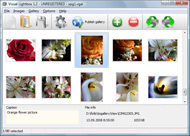
It's no secret that adding photos to your blog posts is one of the most effective ways to enhance your blog and attract attention to your writing. Flickr has millions of photos available in its database. A simple FREE tool called Flickr Gallery allows you to create a custom image gallery with a cool slide show of the most recent and most interesting photos from Flickr on your website or blog in a few easy steps. Just visit Flickr website and find photostream, photoset or a single photo you like. Enter the address of flickr page to add all photos from this page in your gallery, select the style of thumbnails and the overlay window and add the HTML embed code on your website or blog.
A few clicks and you'll see a stylish photo gallery with beautifull lightbox and zoom effects on your own website or blog!


Flickr Gallery for Windows   Flickr Gallery for MAC

Want more?

Example

Lightbox gallery sample

The following image set is generated by Flickr Gallery tool. Click any picture to run Lightbox gallery.

The photo gallery above is an in-page usage demo of Lightbox script with Flickr images. The website gallery created with Flickr Gallery application is placed inside the website page. You can also check the full-page demo web gallery. This example takes whole browser area to show the slideshow.Using Flickr In Education

How to Use

Step 1. Adding flickr images to your own gallery.


Locate the photo, photoset or photostream you want to use in your Flickr slideshow. Click on it to see the photo on its own page.

Copy URL of the flickr page.

Select Add images from Flickr... from the 'Add' button on the Toolbar.

Add images from Flickr

In the appeared window paste URL of the flickr page. Specify also the number of photos you want to add from the flickr page. Flickr Gallery will now include these photos in your project.

Add images from Flickr

If you have included the photos that you do not wish to be in your web gallery, you can easily remove them. Select all images that you wish to remove from photo gallery, and select Delete images. from the Images menu. You can pick and choose pictures by holding the CTRL while clicking the pictures you like.

Step 2. Adding caption.

The name of the photo on flickr page will automatically appear in the caption. When you select a photo you'll see the various info about it, such as: Path, Size, date of last change and Caption. You can add any comment or text about the photo (up to 512 symbols).

Step 3. Gallery properties.

Change the name of your flickr album, the size and quality of your pictures with Flickr Gallery. From the Gallery menu, select Properties or use "Edit Gallery Properties" button on the toolbar.

On the first tab of the Gallery Properties window you can change the name of your photo album and enable/disable the following properties: Slide Show, Auto play Slide Show, Zoom effect, Overlay Shadow. You can also set the Overlay shadow color and select the Engine you want to use (jQuery or Prototype + script.aculo.us).

On the second tab of the Gallery Properties window you can select the thumbnail you want to use, set the Thumbnails Resolution, Thumbnails Quality, Thumbnails Titles. Select Thumbnails Format (save in PNG or JPG format). Specify the Number of columns in you photo album and the Page color.

On the third tab of the Gallery Properties window you can select the template, Image resolution and Image quality of your pictures and change the Watermark.

You can set up the various sizes for exported images.

Control the quality of output PNG or JPEG format image by defining output "Image quality" and "Thumbnail quality" parameters (0%…100%).

Step 4. Save your photo gallery as project file.

When you exit Flickr Gallery application, you'll be asked if you want to save your project. The project consists of the pictures you choose to put on your web photo gallery and all your settings. It's a good idea to save the project, because that will allow you to change the project in case you decide to do something different with future galleries. So click Yes, then enter a name for your project. To select the location of your project, just click the Browse folders button and choose a different location. Then click Save.

Flickr Slideshow Widget Secure Sync To Flickr

Download Flickr Gallery


Download Flickr Gallery Download Free Edition
for Windows
Download Flickr Gallery Download Free Edition
for MAC

Flickr Gallery is free for non-commercial use.

A small fee is required for business use. Flickr Gallery Business Edition additionally provides an option to remove the Flickr Gallery. Com credit string as well as a feature to put your own logo to images. After you complete the payment via the secure form, you will receive a license key instantly by email that turns the Flickr Gallery Free Edition into a Business one. You can select the most suitable payment mode: PayPal, check, credit card, bank transfer etc. Also you can get Business Edition for free if you help with translating Flickr Gallery into your native language, please contact us at for more info.

What Is Flickr Gallery

Buy Flickr GalleryBuy Business Edition
for Windows

$49
Single Website
$69
Unlimited Websites
Buy Flickr GalleryBuy Business Edition
for MAC

$49
Single Website
$69
Unlimited Websites

Support

For troubleshooting, feature requests and general help contact Customer Support at . Make sure to include details on your operating system, browser, a link (or relevant code) and Flickr Gallery version.Put Flickr On Your Website

Feedback

    * I have purchased the business and LOVE IT..Your product appears easy to use and close to what I need to help several of my clients..

    * This looks like EXACTLY what I need for my site. It would make my job much faster! Love your program. Thank you!!

    * Another programmes have incredible functionality but no fantastic interface like your product!Flickr Group Blogger Gadget

    * I have just bought this product and think it is great. As it is extremely easy to use it is something I could get my clients to purchase to upload their own portfolio and latest projects etc.

FAQ

Q:Instead of making one page with 40 photos, is there no property to make 2 or more pages?

A:You can do it in the following way:

1. Create your gallery in Flickr Gallery and publish it on a local drive in any test folder.
2. Make two copies of the generated index.html file (for example index1.html and index2.html).
3. Open index.html, index1.html and index2.html files in any text editor.
4. Find code for the gallery inside the BODY tag and cut some part of the images, so you'll have different images on each page.

<!-- Start Flickr Gallery.com BODY section -->
<div class="gallery">
<!-- leave the following code on index.html page -->
<a href="./data/images/1.jpg" rel="lightbox[sample]" title="Best Toy Ever"><img src="./data/thumbnails/1.png" /></a>
<a href="./data/images/8.jpg" rel="lightbox[sample]" title="PrueaMacro"><img src="./data/thumbnails/8.png" /></a>

<!-- leave the following code on index1.html page -->
<a href="./data/images/3.jpg" rel="lightbox[sample]" title="Macro Leaf."><img src="./data/thumbnails/3.png" /></a>
<a href="./data/images/11.jpg" rel="lightbox[sample]" title="Bell Pepper"><img src="./data/thumbnails/11.png" /></a>

<!-- leave the following code on index2.html page -->
<a href="./data/images/5_0.jpg" rel="lightbox[sample]" title="5"><img src="./data/thumbnails/5_0.png" /></a>
<a href="./data/images/6_0.jpg" rel="lightbox[sample]" title="6"><img src="./data/thumbnails/6_0.png" /></a>

<!--[if lte IE 6]><script src="engine/js/pngfix_vlb.js" type="text/javascript"></script><![endif]-->
<a id="vlightbox" href="http://Flickr Gallery.com/">Online Photo Album Sharing by Flickr Gallery.com</a>
</div>
<!-- End Flickr Gallery.com BODY section -->

5. Create links to switch between your pages, for example:
<a href="index.html">1</a>  <a href="index1.html">2</a>  <a href="index2.html">3</a> 


Q:I want to change color of the overlay shadow? How can I do this?

A:Open engine\css\Flickr Gallery.css and find the following code:

#overlay{
position: absolute;
top: 0;
left: 0;
z-index: 90;
width: 100%;
height: 500px;
background-color: #FFF;
filter:alpha(opacity=60);
-moz-opacity: 0.6;
opacity: 0.6;
}

set the background-color parameter :

#overlay{
position: absolute;
top: 0;
left: 0;
z-index: 90;
width: 100%;
height: 500px;
background-color: #FF00FF;
filter:alpha(opacity=60);
-moz-opacity: 0.6;
opacity: 0.6;
}


RELATED

Data Sycnronization with Conduit Conduit is a synchronization solution for Ubuntu which allows you to take emails, calenders, contacts, files, bookmarks, photos, music, videos and any other type of personal information and sync that data with another computer, an online service

Sync Photos to Flickr with FlickrSync Windows only: Free, open source application FlickrSync monitors any image folders of your choosing and syncs their contents to your Flickr account. We showed you a simple command line method for automatic Flickr uploads, but FlickrSync brings an

Fraser Speirs - Blog - On the Flickr support in iPhoto '09 iPhoto's sync connection to Flickr critically depends on you not deleting the photoset that iPhoto created for you when the photo was uploaded. The automatic tag syncing is a privacy nightmare, especially with the new face recognition which will encourage people to assign full names to

How To Share And Sync Flickr Photos to Facebook Keebler wrote a simple Flickr integration script for Facebook.Login to your Facebook account, add Flickr2Facebook app to your Facebook. Save the bookmarklet to your web-browser's bookmarks. You only have to do this once! Surf to the Flickr page

Photo Wallet: Flickr :: Sync Photos and Videos Photography The Photo Wallet: Flickr :: Sync Photos and Videos iPhone Photography app, one of hundreds ofPhotography apps reviewed by the experts and users at Macworld

How to Post Your Flickr Pictures On Twitter | eHow.com How to Post Your Flickr Pictures On Twitter. Sync your Flickr account with Twitter. It's easy and fast!

Sync Photos Between Local Folders and Your Flickr Account A dialog is displayed where you can set further options for the sync. You can set local photos and Flickr photos to match by their name, or match by the date taken. There are plenty of other options you can set, according to the FlickrSync website:

Barry Smyth's Blog " Blog Archive " Flickr Download Sync with I think it means that iPhoto 09 allows you to divide you photos into events and upload them to Flickr, but it does not allow you to sync any current Flickr Sets. these instruction will help you learn how to recover your Flickr Sets with all the keywords intact

SYNC-ing Apps - Flickr , Online SYNC-ing Apps - Guest Passes let you share your photos that aren't public. Anyone can see your public photos anytime, whether they're a Flickr member or not. But! If you want to share

Sync with Flickr Easy to use, Flickr gives. you the possibility of browsing through millions of images with think that managing your images from the Flickr account is a tough job, then you have to

Sync Local Folder with Flickr Account Using Free Flickr Photo Sync Folder with Flickr Account. Sync images in local folder to Flickr account. Free Flickr photo synchronization tool..synchronizer flickr synchronization

Add-In Review : PhotoSync for Windows Home Server | Using Even as a tech-savvy person, I never really got into Flickr. I've just never felt the need to post all my photos online. Still, it's pretty much impossible to avoid these days—even if I wanted to—and it seemed like I'd get sucked in sooner or

FlickrSync keeps your Flickr photosets synchronized with But the Flickr Uploadr doesn't let you keep your photos synchronized with desktop folders the way that the third party FlickrSync does. You can configure FlickrSync to watch specific folders on your Windows desktop and sync them up with your Flickr account

Django snippets: Flickr Sync Sync is one way (flickr->django), as I didn't see any need to edit photos in Django. This code provides a Django model for photos based on Flickr, as well as a script to perform a one-way sync between Flickr and a Django installation. Please note that the snipped contains code for two files,

FlickrSync: Synchronize Flickr Sets with Local Folders FlickrSync is a Flickr app that allows you to synchronize your Flickr set with local photo folders on your computer. Once the app installed and connected with

FlickrMetadataSynchr FlickrMetadataSynchr is a tool that allows you to synchronize metadata added to images stored on Flickr with the original versions of those images stored locally on your hard drive. If you don't have the original version on your hard drive,

FlickrSync FlickrSync is a photo synchronization application for flickr users. It displays your local folders and your flickr sets and it can establish synchronization rules between them. This way you can manage all your photos locally and FlickrSync will

Unpaq " Sync your iPhoto library with Flickr Sync your iPhoto library with Flickr. Unpaq is currently developing an application for MacOS X which will do exactly that. It should be ready for beta It can create tags on your Flickr images so that they match your "faces" It can add your Flickr images to Flickr sets so that they match your iPhoto

Flickr | Sync Blog Here at Sync, we strive to bring you the latest in news, reviews and opinions from the of helping to keep Canadians in sync with tech and gadgets that surround us in our daily

Flickr: Sync's Photostream Flickr is almost certainly the best online photo management and sharing application in the world. Show off your favorite photos and videos to the world, securely and privately show content to your friends and family, or blog the photos and videos

Access To Flickr : Flickr Gallery Access To Flickr. Build professional web photo gallery templates in minutes with Flickr Gallery!. Lightbox Generateur flickrfs (manishrjain) Allows you to set the default image size, and the time interval for the syncing on flickr, while creation time is set to the time when the image was uploaded to

Sync and Share Flickr Photos and Albums in Facebook Automatically Flickrtab is a Facebook application which syncs Flickr photos in Facebook. How to Sync and Share Flickr Photos in Your Facebook Account. Written by Amit Banerjee on 22 Jan, 2010 Under Internet. If you have a Flickr account and want to cross post photo uploads in Facebook, here is a new app

Flickr Sync | drupal.org The Flickr Sync module downloads new photos from Flickr and creates Drupal nodes from them. for Flickr Sync. benshell - 18 commits. last: 1 year ago, first: 1 year ago. View all committers. Issues for Flickr Sync. To avoid

Sync Local Images Folder with Flickr Account Using FlickrSync Sync Your Local Images & photo Folder with Flickr Account Using FlickrSync. FlickrSync hoto synchronization application for flickr users

Chandler Wiki : Flickr Syncing Today's Flickr parcel is read only, but I'd like to make it a data entry parcel as well. The Chandler collection in the sidebar can still sync with the Flickr set to upload and download images to and from Flickr, but there isn't a strict 1:1 relationship

Download FlickrSync to Sync Local Image Files with Online Download FlickrSync to Sync Local Image Files with Online Flickr Account Thus, local folders or images are never changed and only Flickr online account is updated to match local information, although the reverse sync feature to download photos from Flickr to local folders may included in future

Photo Pad: Flickr - Sync Photos for iPhone, iPod touch, and Learn more, read reviews, and download Photo Pad: Flickr - Sync Photos by Midnight Mobility on the iTunes App Store. iTunes is the world's easiest way to organize and add to your digital media collection

