
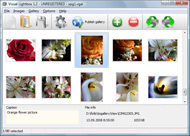


Overview

It's no secret that adding photos to your blog posts is one of the most effective ways to enhance your blog and attract attention to your writing. Flickr has millions of photos available in its database. A simple FREE tool called Flickr Gallery allows you to create a custom image gallery with a cool slide show of the most recent and most interesting photos from Flickr on your website or blog in a few easy steps. Just visit Flickr website and find photostream, photoset or a single photo you like. Enter the address of flickr page to add all photos from this page in your gallery, select the style of thumbnails and the overlay window and add the HTML embed code on your website or blog.
A few clicks and you'll see a stylish photo gallery with beautifull lightbox and zoom effects on your own website or blog!


Flickr Gallery for Windows   Flickr Gallery for MAC

Want more?

Example

Lightbox gallery sample

The following image set is generated by Flickr Gallery tool. Click any picture to run Lightbox gallery.

The example above is an in-page usage demo of Lightbox with images from Flickr. The gallery created with Flickr Gallery software is placed inside the page layout. You can also check the full-page demo gallery. This example takes whole browser area to show the gallery.Flickr Multiple Photo Delete

How to Use

Step 1. Adding flickr images to your own gallery.


Locate the photo, photoset or photostream you want to use in your Flickr slideshow. Click on it to see the photo on its own page.

Copy URL of the flickr page.

Select Add images from Flickr... from the 'Add' button on the Toolbar.

Add images from Flickr

In the appeared window paste URL of the flickr page. Specify also the number of photos you want to add from the flickr page. Flickr Gallery will now include these photos in your project.

Add images from Flickr

If you have included the photos that you do not wish to be in your web gallery, you can easily remove them. Select all images that you wish to remove from photo gallery, and select Delete images. from the Images menu. You can pick and choose pictures by holding the CTRL while clicking the pictures you like.

Step 2. Adding caption.

The name of the photo on flickr page will automatically appear in the caption. When you select a photo you'll see the various info about it, such as: Path, Size, date of last change and Caption. You can add any comment or text about the photo (up to 512 symbols).

Step 3. Gallery properties.

Change the name of your flickr album, the size and quality of your pictures with Flickr Gallery. From the Gallery menu, select Properties or use "Edit Gallery Properties" button on the toolbar.

On the first tab of the Gallery Properties window you can change the name of your photo album and enable/disable the following properties: Slide Show, Auto play Slide Show, Zoom effect, Overlay Shadow. You can also set the Overlay shadow color and select the Engine you want to use (jQuery or Prototype + script.aculo.us).

On the second tab of the Gallery Properties window you can select the thumbnail you want to use, set the Thumbnails Resolution, Thumbnails Quality, Thumbnails Titles. Select Thumbnails Format (save in PNG or JPG format). Specify the Number of columns in you photo album and the Page color.

On the third tab of the Gallery Properties window you can select the template, Image resolution and Image quality of your pictures and change the Watermark.

You can set up the various sizes for exported images.

Control the quality of output PNG or JPEG format image by defining output "Image quality" and "Thumbnail quality" parameters (0%…100%).

Step 4. Save your photo gallery as project file.

When you exit Flickr Gallery application, you'll be asked if you want to save your project. The project consists of the pictures you choose to put on your web photo gallery and all your settings. It's a good idea to save the project, because that will allow you to change the project in case you decide to do something different with future galleries. So click Yes, then enter a name for your project. To select the location of your project, just click the Browse folders button and choose a different location. Then click Save.

Get Single Photo Flickr Flickr Widget For Website

Download Flickr Gallery


Download Flickr Gallery Download Free Edition
for Windows
Download Flickr Gallery Download Free Edition
for MAC

Flickr Gallery is free for non - commercial use.

A small fee is required for business use. Flickr Gallery Business Edition additionally provides an option to remove the Flickr Gallery. Com credit line as well as a feature to put your own logo to images. After you complete the payment via the secure form, you will receive a license key instantly by e-mail that turns the Flickr Gallery Free Edition into a Business one. You can select the most suitable payment procedure: bank transfer, credit card, check, PayPal etc. Also you can get Business Edition for free if you help with translating Flickr Gallery into your native language, please contact us at for more info.

Flickr Widget On Mediawiki

Buy Flickr GalleryBuy Business Edition
for Windows

$49
Single Website
$69
Unlimited Websites
Buy Flickr GalleryBuy Business Edition
for MAC

$49
Single Website
$69
Unlimited Websites

Support

For feature requests, troubleshooting, general help contact Customer Support at . Make sure to include details on your Flickr Gallery version, operating system, browser and a link (or relevant code).Auto Backup Flickr Os X

Feedback

    * This looks like EXACTLY what I need for my site. It would make my job much faster! Love your program. Thank you!!

    * Let me start just congratulating you, good job, really. I am trying out the free version before I buy it. It works great.

    * Another programmes have incredible functionality but no fantastic interface like your product!Flickr Embedding Within Frames Shadowbox

    * I have just bought this product and think it is great. As it is extremely easy to use it is something I could get my clients to purchase to upload their own portfolio and latest projects etc.

FAQ

Q:I would like to have a few galleries in one website and even on one page.

A:To create several galleries on your page you should change following parameter in A tag for different galleries:

rel="lightbox_vlb"

For example, for the first gallery you should set rel="lightbox_vlb":

<!-- Start Flickr Gallery.com BODY section -->
<div id="vlightbox">
<a rel="lightbox_vlb" href="data/images/dscn6831.jpg" title="dscn6831" >
<img src="data/thumbnails/dscn6831.png" ><span></span></a>
<a rel="lightbox_vlb" href="data/images/dscn6823.jpg" title="dscn6823">
<img src="data/thumbnails/dscn6823.png"><span></span></a>
<a id="vlb" href="http://Flickr Gallery.com">Photo Gallery For Web by Flickr Gallery.com v2.0</a>
</div>
<!-- End Flickr Gallery.com BODY section -->

and for the second gallery rel="lightbox_vlb1":

<!-- Start Flickr Gallery.com BODY section -->
<div id="vlightbox">
<a rel="lightbox_vlb1" href="data/images/img_0501.jpg" title="img_0501">
<img src="data/thumbnails/img_0501.png"><span></span></a>
<a rel="lightbox_vlb1" href="data/images/img_0481.jpg" title="img_0481">
<img src="data/thumbnails/img_0481.png"><span></span></a>
<a id="vlb" href="http://Flickr Gallery.com">Photo Gallery For Web by Flickr Gallery.com v2.0</a>
</div>
<!-- End Flickr Gallery.com BODY section -->


RELATED

WordPress Tutorial – How to Add Flickr Photo Widget to The nice thing about using WordPress.com for your blog/website is that things like the Flickr Photo Widget are installed automatically – or Automattically, if you prefer (a little WordPress Check out the Automattic website if you have a minute to learn more

FlickrFlow - Photo browser widget for Flickr FlickrFlow is a web widget for browsing photos on Flickr. It allows you to easily embed a below on your blog or website. URI. ex. http://www.flickr.com/photos/tags/rainbow/ WIDTH

Flickr: Discover South Lake Union Flickr is almost certainly the best online photo management and sharing application in the world. Show off your favorite photos and videos to the world, securely and privately show content to your friends and family, or blog the photos and videos

Freelance Job - Flickr API app widget for website (.Net SEO Content Writer Needed For 50 Pages of established site. photoshop skills needed for my tshirt designs. Need Experienced Project: Flickr API app widget for website (.Net/JQuery/XML)

That IT Girl: How to create a Flickr widget (or badge) How to create a Flickr widget (or badge) Log into your Flickr account. Scroll down and look for the little chunk of links that let you do things. This is listed under the "Display Flickr Photos on Your Website

Introducing Photo widget, floating thumbnails for your Lots of people have contacted me, asking for a version of my Flickr widget that they could use on their website, without having to use Flickr (or Picasa). Doing

Add a Flickr widget to any web site with jQuery : Digging My Blog One of the new additions to the home page of my blog is the “My Latest Photos” widget. It pulls in the 12 most recent pictures that I’ve uploaded to Flickr. It also gives a nice large preview of the image when you mouseover a

random.geek() " Flickr Widget Plugin for Your Wordpress Sidebar Aşk Büyüleri on Google Desktop Gadget – Website Monitor. Anonymous on Google Desktop Gadget – Net Meter Dial Edition. Flickr Widget Plugin for Your Wordpress Sidebar. Posted on January 27, 2007 in Blogging, Widgets and Gadgets by Ben Coleman95 Comments "

Flickriver - A new way to view Flickr photos and more Flickriver - view images as a 'river of photos' and more You can place your badge on your Flickr profile, Blog or Website. Add to your iGoogle or Netvibes page. Flickriver widget for iGoogle or Netvibes can display almost any Flickriver view - most interesting today, by user, by group,

Flash Flickr Badge Widget for WordPress I love the Flickr Flash Badges, but the content of the iframe that you have to put on your page is not valid XHTML. That just won't do. So I decided to take

CIC " Flickr This is yet another easy tip to include a widget with your (or someone else's) Flickr pictures on your website. Once you click on "Get widget", you will be presented with a few ready-made options. If you use Rapidweaver or your own Wordpress blog, click on "get

Download Yahoo widget to upload flickr images | Freebies Flickr Uploader is a photo uploading Yahoo widget for flickr which is available for Windows and Mac OS. Free Yahoo! Widget to upload pictures

Flickr Widget - Yahoo! Widgets 1,000s of free Widgets help you save time by bringing your favorite content and services right to you

Squarespace User Manual - modules - Flickr The Flickr social widget module is an easy way to import images into your sidebar. Overview: The Flickr widget allows you to share your photostream in a simple and

Flickr Widget " Donncha thanks a lot for that great flickr widget. I have one (simple?) problem: I use this widget with my favorite theme tiga 1.0.1 from shamsulazhar.com, and it works fine with firefox, but when I use IE 6.0, the displayed flickr photo box is overlapping the centre blog space

Flickr Widget For Website : Flickr Gallery Flickr Widget For Website. Flickr Slideshow is a photo album maker, that allows you to create and publish splendid web photo galleries for your website!. jQuery Iframe Thickbox

Flickr Widgets Flickr has a very popular widget that they call a flickr badge. choose the colors for the badge. copy-and-paste the widget code. All of these steps, except for the last one, is handled by user-friendly forms on the Flickr website. You just fill in the form. Your choices are used to configure

Flickr | Tag | Widgets Lab Posts Tagged flickr' Fotopedia Slideshow widget. September 28th, 2009. Fotopedia.com is a photo hosting service with a downloadable app (Windows & Mac) that allows you to create a customizable slideshow widget that you can embed 5. Copy and paste the HTML snippet provided to your website and your done

FlickRiver for Flickr Photos - Tips and Widgets for Blogs and I just found a really cool site that takes all your Flickr photos and places them on their own URL as a single display. The search results in FlickRiver (as in most photos) are based on the title, description, tag words, and geo-tagging. I did

Free widgets for Flickr users Free web site content if you use flickr social networing software Useful website code for Flickr users. Flick r. If you use Flickr, then you can add interesting content to your web pages by pasting any of the code below into them. The code below is free to use and free of adverts. In return

How to Use a Flickr Widget in the Sidebar of Your WordPress This article explains how to display your Flickr photos on a WordPress website through the use of a sidebar widget. Flickr is an online photo-sharing site that can be used as a tool for social networking, as well as promoting your business and the types of products or services that you offer

Flickr Widget 8 Must-Have Widgets for Every Personal Blogger! Posted by Abbas. May 12, 2009. As the line between online and offline world blurs it's important for each of us to have an online identity. Top 10 Websites for Free Desktop Wallpapers Downloads. Everyone at E3

Integrating Flickr Widgets in HTML webpages How to integrate Flickr widgets and slideshows into your html website. The best and worst widgets

Widgetbox " Flickr Widgets for MySpace, Wordpress, TypePad Get flickr widgets on Widgetbox.com! Find flickr widgets for MySpace profile, Wordpress Blog, TypePad blog and other websites

