


Overview

It's no secret that adding photos to your blog posts is one of the most effective ways to enhance your blog and attract attention to your writing. Flickr has millions of photos available in its database. A simple FREE tool called Flickr Gallery allows you to create a custom image gallery with a cool slide show of the most recent and most interesting photos from Flickr on your website or blog in a few easy steps. Just visit Flickr website and find photostream, photoset or a single photo you like. Enter the address of flickr page to add all photos from this page in your gallery, select the style of thumbnails and the overlay window and add the HTML embed code on your website or blog.
A few clicks and you'll see a stylish photo gallery with beautifull lightbox and zoom effects on your own website or blog!


Flickr Gallery for Windows   Flickr Gallery for MAC

Want more?

Example

Lightbox gallery sample

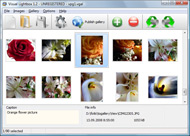
The following image set is generated by Flickr Gallery tool. Click any picture to run Lightbox gallery.

The example above is an in-page usage demo of Lightbox gallery that uses images from Flickr. The gallery created with Flickr Gallery application is placed inside the html page. You can also check the full-page demo gallery. This example takes whole browser area to show the slideshow.Flickr Api Photos Perl

How to Use

Step 1. Adding flickr images to your own gallery.


Locate the photo, photoset or photostream you want to use in your Flickr slideshow. Click on it to see the photo on its own page.

Copy URL of the flickr page.

Select Add images from Flickr... from the 'Add' button on the Toolbar.

Add images from Flickr

In the appeared window paste URL of the flickr page. Specify also the number of photos you want to add from the flickr page. Flickr Gallery will now include these photos in your project.

Add images from Flickr

If you have included the photos that you do not wish to be in your web gallery, you can easily remove them. Select all images that you wish to remove from photo gallery, and select Delete images. from the Images menu. You can pick and choose pictures by holding the CTRL while clicking the pictures you like.

Step 2. Adding caption.

The name of the photo on flickr page will automatically appear in the caption. When you select a photo you'll see the various info about it, such as: Path, Size, date of last change and Caption. You can add any comment or text about the photo (up to 512 symbols).

Step 3. Gallery properties.

Change the name of your flickr album, the size and quality of your pictures with Flickr Gallery. From the Gallery menu, select Properties or use "Edit Gallery Properties" button on the toolbar.

On the first tab of the Gallery Properties window you can change the name of your photo album and enable/disable the following properties: Slide Show, Auto play Slide Show, Zoom effect, Overlay Shadow. You can also set the Overlay shadow color and select the Engine you want to use (jQuery or Prototype + script.aculo.us).

On the second tab of the Gallery Properties window you can select the thumbnail you want to use, set the Thumbnails Resolution, Thumbnails Quality, Thumbnails Titles. Select Thumbnails Format (save in PNG or JPG format). Specify the Number of columns in you photo album and the Page color.

On the third tab of the Gallery Properties window you can select the template, Image resolution and Image quality of your pictures and change the Watermark.

You can set up the various sizes for exported images.

Control the quality of output PNG or JPEG format image by defining output "Image quality" and "Thumbnail quality" parameters (0%…100%).

Step 4. Save your photo gallery as project file.

When you exit Flickr Gallery application, you'll be asked if you want to save your project. The project consists of the pictures you choose to put on your web photo gallery and all your settings. It's a good idea to save the project, because that will allow you to change the project in case you decide to do something different with future galleries. So click Yes, then enter a name for your project. To select the location of your project, just click the Browse folders button and choose a different location. Then click Save.

Tumblr Flickr Slideshow From Smugmug To Flickr

Download Flickr Gallery


Download Flickr Gallery Download Free Edition
for Windows
Download Flickr Gallery Download Free Edition
for MAC

Flickr Gallery is free for non-commercial use.

A small fee is required for business use. Flickr Gallery Business Edition additionally provides an option to remove the Flickr Gallery. Com credit bar as well as a feature to put your own logo to images. After you finish the payment via the secure form, you will receive a license key instantly by e-mail that turns the Flickr Gallery Free Edition into a Business one. You can select the most appropriate payment method: bank transfer, check, PayPal, credit card etc. Also you can get Business Edition for free if you help with translating Flickr Gallery into your native language, please contact us at for more info.

How To Delete Picture On Flickr

Buy Flickr GalleryBuy Business Edition
for Windows

$49
Single Website
$69
Unlimited Websites
Buy Flickr GalleryBuy Business Edition
for MAC

$49
Single Website
$69
Unlimited Websites

Support

For troubleshooting, feature requests and general help contact Customer Support at . Make sure to include details on your Flickr Gallery version, a link (or relevant code), browser and operating system.Stolen Photos On Flickr

Feedback

    * Great product by the way and saved me loads of time. I really like your Flickr Gallery program! Very nice.

    * First of all, your product is fantasitc. I looked at the others and your code generator app was insanely easy to use.

    * I just tried the application, It is wonderful idea. Like you said in the website "few clicks without writing a single line of code" because most of the people is not web designers".Cutamize Flickr Slideshow Jquery

    * Just bought the business version of Flickr Gallery and I just had to write and say how impressed I am with it. Really easy to use, intuitive interface and generates a truly professional presentation. Seldom have I been so pleased with a software purchase. Thank you.

FAQ

Q:Is it possible to load a gallery from within image? So the gallery loads externally?

A:You should start the gallery onClick:

1) Add the following function into the <head> tag:

<script type="text/javascript">
function showLightBox()
{ Lightbox.start(document.getElementById('firstImage'));}
</script>

2) Specify the onClick event for the image (or link):
<img src="thumbnail_gr.jpg" onClick="javascript:showLightBox()" title="Click to see the demo" style="cursor: pointer;">
3) Set the ID for any image in your gallery (id="firstImage"), for example add it to the first image:
<a rel="lightbox_vlb" href="data/images/dscn6831.jpg" title="dscn6831" id="firstImage">
4) Use 'display: none;' property for your gallery in engine\css\vlightbox.css. Just change the following code:

#vlightbox a{
display:-moz-inline-stack;
display:inline-block;
zoom:1;
*display:inline;
position:relative;
vertical-align:top;
margin:3px;
width:160px;
font-family:Trebuchet,Tahoma,Arial,sans-serif;
font-size:11px;
font-weight:normal;
text-align:center;
opacity:0.87;
}

to:

#vlightbox a{
display:-moz-inline-stack;
display:none;
zoom:1;
*display:inline;
position:relative;
vertical-align:top;
margin:3px;
width:160px;
font-family:Trebuchet,Tahoma,Arial,sans-serif;
font-size:11px;
font-weight:normal;
text-align:center;
opacity:0.87;
}

RELATED

Smugmug vs. Flickr - Digital-Camera-General - Digital-Camera Archived from groups: rec.photo.digital (More info?) These two online photo sharing sites seem to be getting the brunt of the news coverage for a good reason. They are the best. Since many people

SmugMug vs. Flickr " /dev/random After trying SmugMug for a few days, I've decided to keep it, although I'll still continue to use Flickr. You can even let your visitors choose which layout they want to use

I switched from Flickr to Smugmug | The Web Page of Last week, after debating for months, I switched from Flickr to Smugmug. may remember that I used Gallery and then Gallery2 for many years, eventually switching to Flickr after finding tools to assist with the migration

Photo Sharing Gallery Reviews- We Compare Kodak, SmugMug vs Photo Sharing Review- Photo sharing comparison chart. Compare SmugMug vs ShutterFly, SnapFish Flickr and Kodak EasyShare gallery features. Take a look at these pro photo galleries from SmugMug, Shutterfly and other great services, They host your gallery and let you set your own

Migrating Flickr Pics to SmugMug | Joe Flood However, I like SmugMug's prints but didn't want to go to the trouble of downloading all my Flickr pics and then uploading them to SmugMug. Photo migration from flickr, ImageStation or PhotoSite to Smugmug with an easy to use wizard

The Dark Side of the Flickr Acquisition " SmugMug's Don MacAskill You asked for it, you got it: SmugMug is offering 50% off to all Flickr refugees. lastly, it's far from low class to offer customers a free chance to try something out and a discount beyond that

Flickr, Picasa and SmugMug Shootout | Web.AppStorm Flickr, Picasa or SmugMug—which is best? Which one best suits your needs and your budget? What kind of professional level features do you get with each? These

Photo Sharing & Video Hosting. You Look Better Here. | SmugMug Fill your display perfectly from iPhones & iPads to jaw-droppingly SmugMug lets you buy the most exciting products from the best merchants. Buy professional prints and gifts at competitive prices from our labs, or from a growing list of the most popular makers of cards, photo books, posters and

Jeffrey Friedl's Blog " Jeffrey's "Export to SmugMug The plugin has long remembered your export settings from SmugMug export session to SmugMug export session, overriding Lightroom's desire to always bring your recent export settings from non-SmugMug exports. However, I had neglected to update

Picasa, SmugMug, and Flickr SmugMug is more structured, which works well for more organized, professional photo galleries. Since I liked so many things about both SmugMug and Flickr, I needed to find a way to use both of them without spending all my time uploading, tagging, and writing captions twice for all my photos

New Smugmug, Zenfolio and Flickr Plugins. - Lightroom Blog Smugmug. Flickr. He has a more details on them here and here. Jeffrey has been doing a great service with Lightroom addons, including his Metadata Viewer Presets and his Configuration Manager. May 21st, 2008 at 9:25 pm. Here's a small modification I made to the SmugMug plug-in:

Migrate pictures from Flickr to Picasa Looking for a way to migrate or copy your pictures between online photo sharing services like Picasa Web Albums, Flickr or Zooomr? Right now I have all of my digital pictures stored at Picasa, but I also have a few albums stored in Flickr since I

Smugmug Testing AJAX'ier Interface Smugmug caters to folks who are a little more serious about their photography than the crowd over at Flickr. It also adds tags from the filename, which is annoying. I remove those tags manually before making my galleries public. I asked Smugmug support if there was an option to turn that

David Ramage's Photos | SmugMug Because I have just recently transitioned to this new website, most of my images have not been moved into galleries here. To see more of my work please check out the links above. In particular: Flicker Sets and Flickr Faves. Over time, many

Photo Sharing Free Trial at SmugMug Photo sharing & video hosting done right. Easily create impressive online photo albums. Backup your priceless memories. Buy beautiful prints & gifts. Share, store, organize and print

I Just Moved from Flickr to SmugMug | LucaFiligheddu.com [excerpt]I'm getting more and more fascinated by the world of photography. Any place I visit means hundred of photos taken and I'm now used to dedicate some of my spare time to review the photos, tag them, archive and so I Just Moved from Flickr to SmugMug

lucis " smugmug vs flickr vs pbase vs Nice full screen slideshows, print ordering, and the option to upgrade to a power user for a highly customizable look are added benifits. So, I was really jumping between smugmug and flickr and finding it hard to decide until I came across this thread on their smugmug's support forum

6 Alternatives To Flickr Now Yahoo Is In Full Control The sad news today: Flickr founders Caterina Fake and Stewart Butterfield are leaving Yahoo. Flickr has thrived despite being owned by Yahoo, and much of its

Illiterate Withdrawal " Smugmug vs. Flickr The main difference between Flickr and Smugmug is that Flickr wants to facilitate an online photo sharing community more so than Smugmug. Smugmug has that capability as well but is more apt at organizing photos into galleries for long-term photo storage/organization

[smugmug] Flickr vs. SmugMug - a comparison of the picture Search for smugmug in social bookmarking websites. Here's one post for example: Flickr vs. SmugMug - a comparison of the picture services - Robert's talk - Web development and Internet trends

smugmug on Flickr - Photo Sharing! Would you like to comment? Sign up for a free account, or sign in (if you're already a Anyone can see your public photos anytime, whether they're a Flickr member or not. But! If you want to share photos marked as friends, family or private, use a Guest Pass. If you're sharing photos from a set,

Online Photo Galleries: Flickr vs Smugmug vs Picasaweb My photo gallery has been neglected for over two years now and it's time to do something about it: I'm going to kill it. I've decided to abandon hosting my own

Moving to Smugmug from Flickr | Everything Everywhere: Around I've spent the last several days doing the time consuming chore of reformatting and redirecting all the old images on my site that point to Flickr and my self What's holding us back from changing is that our own photo gallery is linked to Flickr (via API) and I'm not sure if smugmug has a similar API

Sysguy Consulting's Blog " Blog Archive " Smugmug vs. Flickr If you have read some of my earlier posts you will know that I use 2 sites as my primaries for displaying my photos. I have had my Flickr Pro (www.flickr.com) account for about 3/4 of a year, and I have had my Smugmug Poweruser Account (www

Smugmug Vs Flickr | Vishwa.net Smugmug Vs Flickr. As you grow from entry level photographer to hobbyist and above (amateur, professional etc), you will start to ask yourself one simple question. " What is the best way to manage and share my pictures?". There are plenty of

Smugmug vs. Flickr: Panasonic Talk Forum: Digital Photography I'm comparing a options for online photo storage, and I've narrowed it down to Smugmug vs. Flickr. So basically, what I'd like to know is this: Is there anything else I need to know about either of these services that might change my mind?

The CameraArts Blog: Goodbye Flickr, Hello SmugMug! As useful as Flickr has been for posting photographs, we at CameraArts have decided to overhaul our Photos of the Month competition. The good folks at SmugMug will be hosting from now on, and they have gone so far as to provide free subscriptions to our winners!

" Flickr vs. SmugMug – a comparison of the picture As every other web developer on Earth, I initially clung on to Flickr for my photos, but recently I did a little evaluation round, and instead fell for SmugMug. Therefore, I thought it would be interesting to write down a comparison of those two services

